Windows 10 & 11

A Kubernetes desktop client
for Windows

Kubebar is a native Kubernetes client for Windows that lives in your system tray. See cluster health at a glance, stream pod logs, restart pods and scale deployments - no WSL, no terminal, no heavy dashboard required.

Windows 10/11 · 14-day free trial · from 12 € a year · no account required

Built for the Windows desktop

System-tray native. A real Windows app in your tray - status at a glance, no terminal window to keep open.
No WSL needed. Point it at your kubeconfig and go - works with your existing kubectl contexts.
Logs & actions. Live pod logs, restart pods, scale deployments, rollout restart/undo, cordon/drain - each with a confirmation.
Every cloud. Azure AKS, AWS EKS, Google GKE, DigitalOcean DOKS and local clusters (Docker Desktop).
Desktop alerts + AI. Notifications for crashes and high usage; optional bring-your-own-key AI for log explanations and right-sizing.
Billed yearly, not per seat. From 12 € a year - no monthly per-user subscription. Also on macOS.
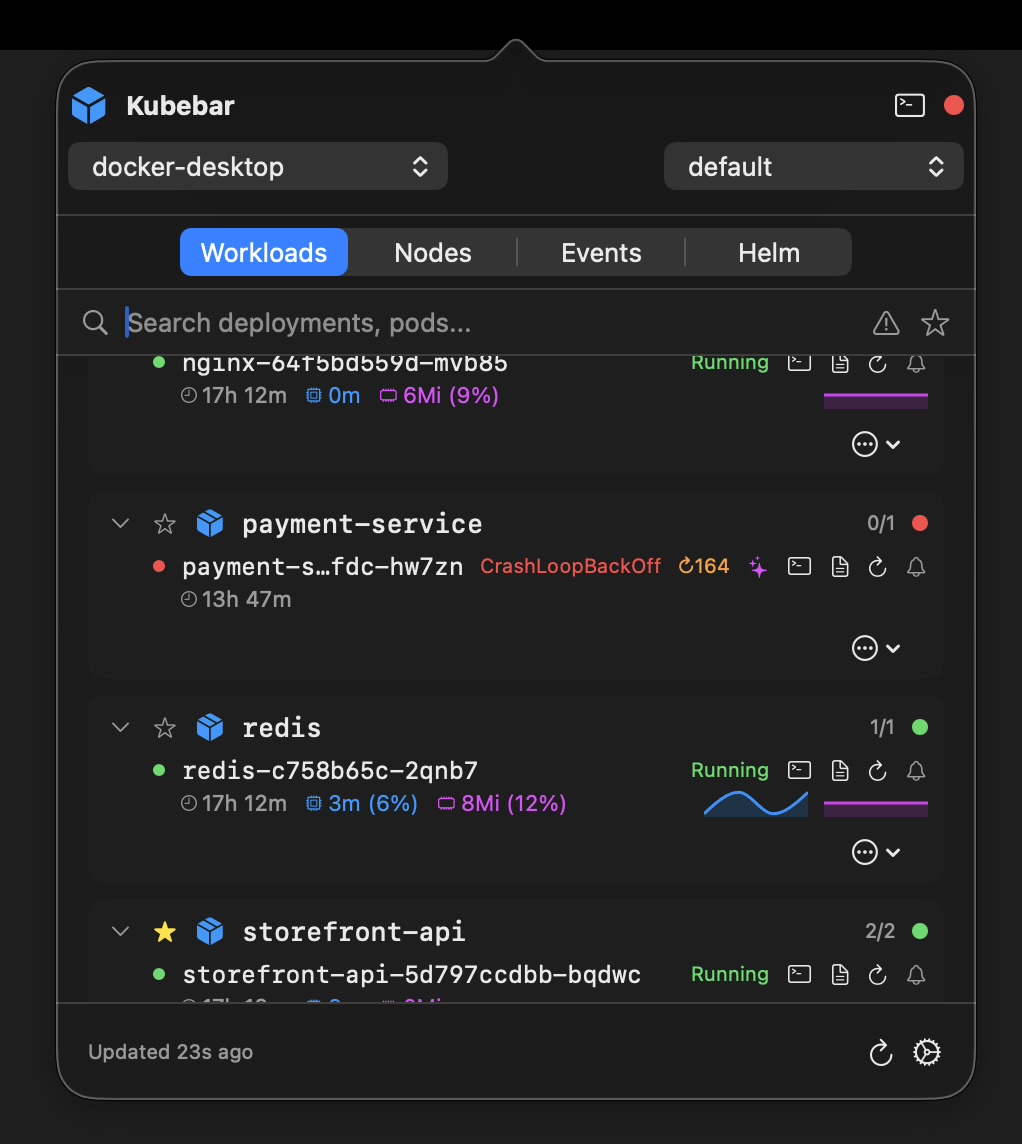
Kubernetes cluster overview in the Windows system tray
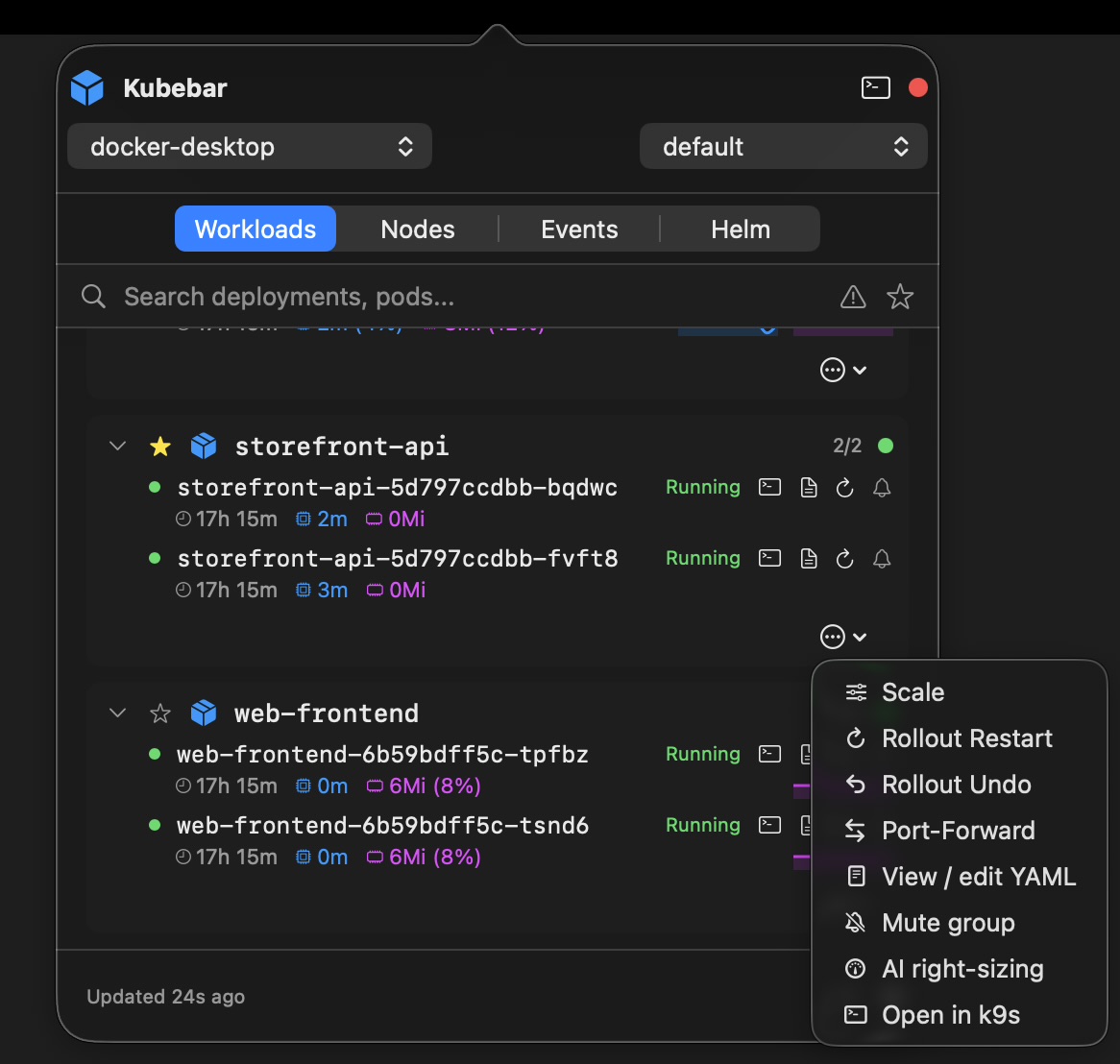
One-click Kubernetes actions on Windows

Get started on Windows in three steps

  1. Point your kubeconfig at the cluster. Any cluster in your kubeconfig works — cloud (GKE, AKS, EKS, DOKS) or local (Docker Desktop, minikube, kind).
  2. Open Kubebar. It picks up every context automatically — no account and no cloud backend.
  3. Choose a context. Switch clusters and namespaces right from the menu bar or tray.

What you can do from the menu bar

Kubebar lives in the Windows system tray and reads the kubeconfig you already use with kubectl — no WSL and no terminal window to keep open.

Health at a glance. A status dot in the menu bar or tray turns red the moment a pod crashes or CPU and memory run high — with desktop alerts, so you notice without watching a dashboard.
Live pod logs. Stream logs from any pod in a real-time window, filter them, and copy or save exactly what you need.
One-click actions. Restart pods, scale deployments, roll out restart or undo, and cordon or drain nodes — each with a confirmation step so nothing happens by accident.
Switch clusters instantly. Every context from your kubeconfig is one click away; jump between clusters and namespaces straight from the menu bar.
Multi-cloud in one app. Manage GKE, AKS, EKS, DigitalOcean and local clusters like Docker Desktop, minikube and kind side by side.
Native and private. No account and no cloud backend — your credentials and kubeconfig never leave your machine.

A native Kubernetes client for Windows

On Windows, monitoring Kubernetes usually means a terminal, WSL or a heavy dashboard. Kubebar is a native Windows app in the system tray: a health dot for every cluster, live logs and one-click actions, with no WSL and no terminal to keep open. It reads your existing kubeconfig, so any cluster you can reach with kubectl works — and it runs on Windows 10 and 11.

Get the Windows client

Windows 10/11 · free for 14 days. Then from 12 € a year.

Download Kubebar

Frequently Asked Questions

Does Kubebar run natively on Windows?

Yes. It's a native Windows system-tray client for Windows 10 and 11 — no WSL, no terminal and no heavy dashboard.

What can I do from the Windows tray?

See cluster health, stream pod logs, and restart pods or scale deployments right from the system tray.