Kubernetes desktop tool
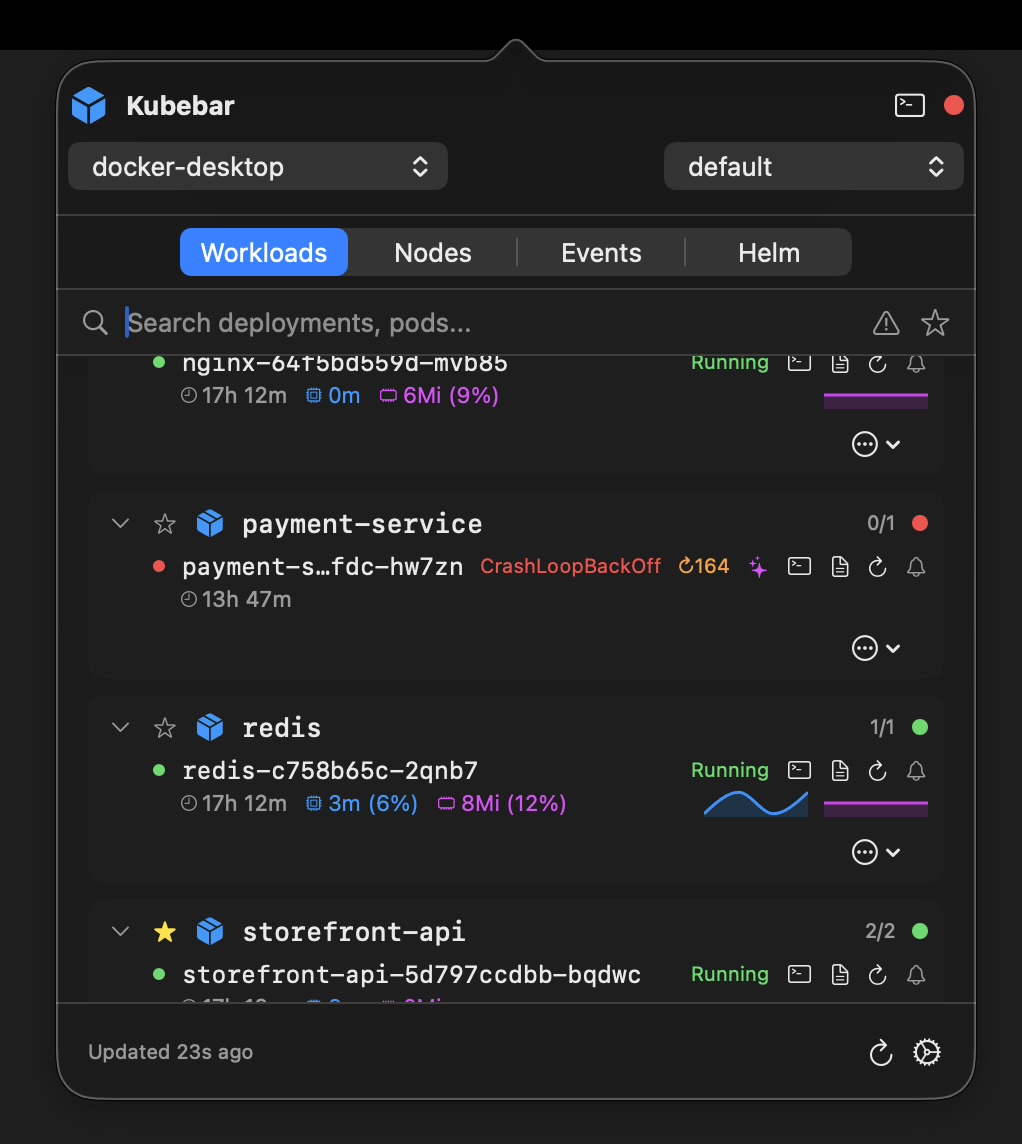
FreeLens is free, open source and actively maintained - a genuinely good answer to “what replaced OpenLens”. Kubebar is not trying to out-feature it. It is a much smaller native app that lives in your menu bar and tells you when a cluster breaks.
14-day free trial · from 12 € a year · no account required
We will start with the case against paying us. FreeLens is MIT-licensed and costs nothing, it is the most active fork of the open-source Lens codebase, it keeps compatibility with much of the Lens extension ecosystem, and it runs on Linux as well as macOS and Windows. If you want a full-featured cluster browser, depend on Lens extensions, work on Linux, or simply have no budget for tooling, FreeLens is the better answer and you should use it.
Kubebar is worth its price only if you want something FreeLens does not set out to do.
| FreeLens | Kubebar | |
|---|---|---|
| Price | Free, MIT licensed | From 12 €/yr |
| Open source | Yes | No |
| Primary interface | Full desktop window | Menu bar / system tray |
| Background monitoring & alerts | Not a listed feature | Status dot plus desktop alerts |
| Lens extensions | Largely compatible | Not supported |
| Resource coverage | Broad cluster browser | Everyday essentials |
| Platforms | macOS, Windows, Linux | macOS & Windows |
| Optional AI assistance | Not a listed feature | Yes, bring your own key |
Comparison as of July 2026, based on the FreeLens repository and documentation. Both projects change - check the current docs before deciding.
These tools are not mutually exclusive, and plenty of people use them together: FreeLens when you need to dig into a cluster properly, Kubebar in the menu bar the rest of the time so you find out about a CrashLoop before someone else does. Both read the same kubeconfig, so there is no second setup to maintain.
See Kubebar as a Lens alternative, an Aptakube alternative, a GUI alternative to k9s, or a replacement for the archived Kubernetes Dashboard. On Windows, see the Kubernetes desktop client for Windows.
FreeLens is a free, MIT-licensed fork of OpenLens that carries the open-source Lens codebase forward. It is actively maintained and runs on macOS, Windows and Linux. If you want a full Lens-style desktop UI without paying anything, it is the most active option.
Only pay if the difference matters to you. FreeLens is a full desktop window you open when you want to inspect a cluster. Kubebar is a small native app that sits in the menu bar or system tray and watches clusters in the background, alerting you when a pod crashes. If passive monitoring and a tiny footprint are worth 12 € a year to you, Kubebar earns its price; if not, FreeLens is a solid free choice.
Yes. FreeLens inherits the Lens architecture, which is a full cross-platform desktop application. Kubebar is a native macOS and Windows app built to sit in the menu bar, so it starts instantly and stays small while running all day.
No. FreeLens keeps compatibility with much of the Lens extension ecosystem; Kubebar does not have an extension system. If you rely on specific Lens extensions, stay with FreeLens.