Amazon Elastic Kubernetes Service

AWS EKS monitoring,
right from your desktop

Keep your AWS EKS clusters one click away - in the macOS menu bar and Windows tray. Health at a glance, live pod logs, one-click restarts and scaling. Connects through aws eks update-kubeconfig and your existing kubeconfig.

14-day free trial · from 12 € a year · no account required

Monitor EKS without the dashboard

Connects to EKS in seconds. Uses your aws eks update-kubeconfig context (IAM auth) - switch between EKS clusters from the menu bar.
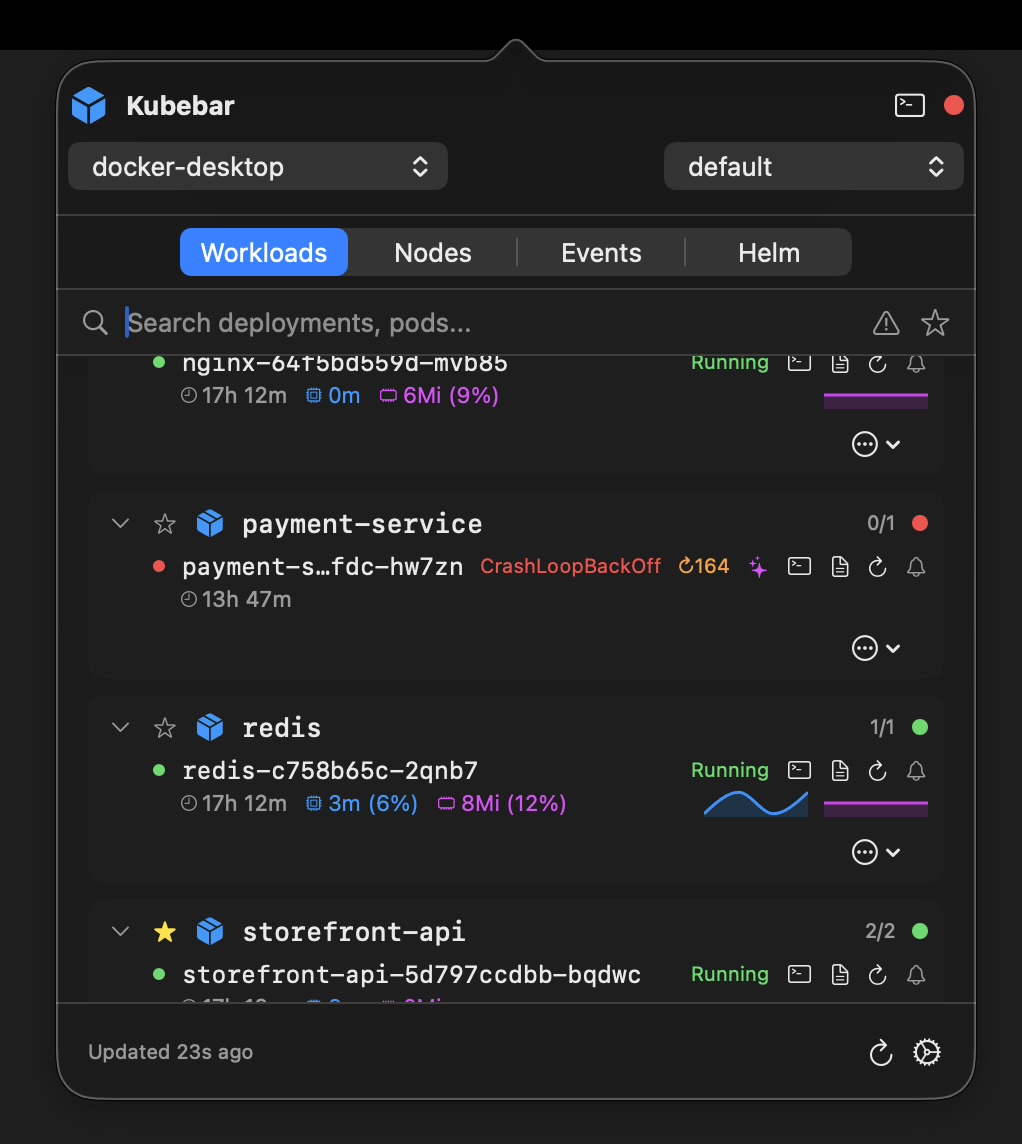
Health at a glance. A status dot in your menu bar / tray; desktop alerts for crashes and high CPU/memory.
Logs & actions. Stream pod logs, restart pods, scale deployments, rollout restart/undo, cordon/drain - with confirmations.
Multi-cloud too. Manage EKS alongside AKS, GKE, DOKS and local clusters in one app.
Native & private. No account; your AWS credentials stay on your machine.
Billed yearly, not per seat. From 12 € a year - no monthly per-user subscription.
AWS EKS cluster overview in Kubebar
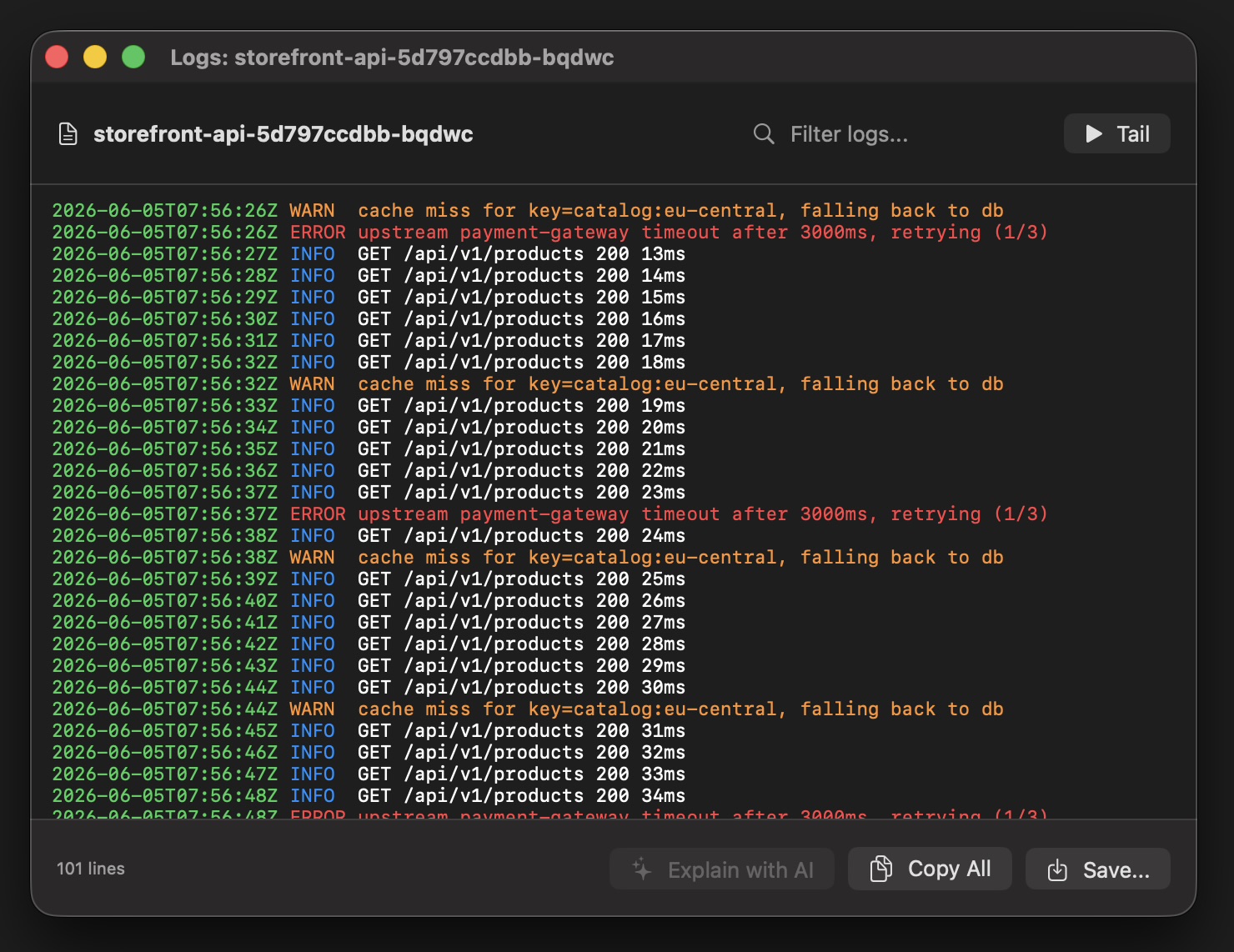
EKS pod logs in Kubebar

Set up EKS monitoring in three steps

  1. Get your cluster credentials. Run aws eks update-kubeconfig --name <cluster> in your terminal to add the cluster to your kubeconfig.
  2. Open Kubebar. Kubebar reads your existing kubeconfig automatically — no extra setup and no login.
  3. Pick your context. Select the AWS EKS context from the menu bar or tray and start monitoring.

What you can do from the menu bar

Once your EKS context is loaded, everything happens from the menu bar or tray — no AWS console tab required.

Health at a glance. A status dot in the menu bar or tray turns red the moment a pod crashes or CPU and memory run high — with desktop alerts, so you notice without watching a dashboard.
Live pod logs. Stream logs from any pod in a real-time window, filter them, and copy or save exactly what you need.
One-click actions. Restart pods, scale deployments, roll out restart or undo, and cordon or drain nodes — each with a confirmation step so nothing happens by accident.
Switch clusters instantly. Every context from your kubeconfig is one click away; jump between clusters and namespaces straight from the menu bar.
Multi-cloud in one app. Manage GKE, AKS, EKS, DigitalOcean and local clusters like Docker Desktop, minikube and kind side by side.
Native and private. No account and no cloud backend — your credentials and kubeconfig never leave your machine.

Why a desktop app instead of the AWS console?

Checking EKS through the AWS console or kubectl means context-switching every time. Kubebar keeps EKS in your menu bar with health at a glance and one-click actions. It connects through aws eks update-kubeconfig with IAM authentication and your existing kubeconfig, so nothing extra leaves your machine.

Monitor your EKS clusters

Free for 14 days. Then from 12 € a year.

Download Kubebar

Frequently Asked Questions

Does Kubebar work with AWS EKS?

Yes. It connects through aws eks update-kubeconfig (IAM authentication) and your existing kubeconfig.

What can I do with EKS from the menu bar?

Health at a glance, live pod logs, and one-click restarts and scaling — from the macOS menu bar or Windows tray, no dashboard required.