The Problem
You need to check cluster health, view pod logs, restart crashed pods, scale deployments - constantly switching between terminal, kubectl, and dashboards breaks your flow.
The native app for Kubernetes on macOS and Windows. Monitor clusters, view pod logs, restart pods, and scale deployments - right from your menubar or system tray.
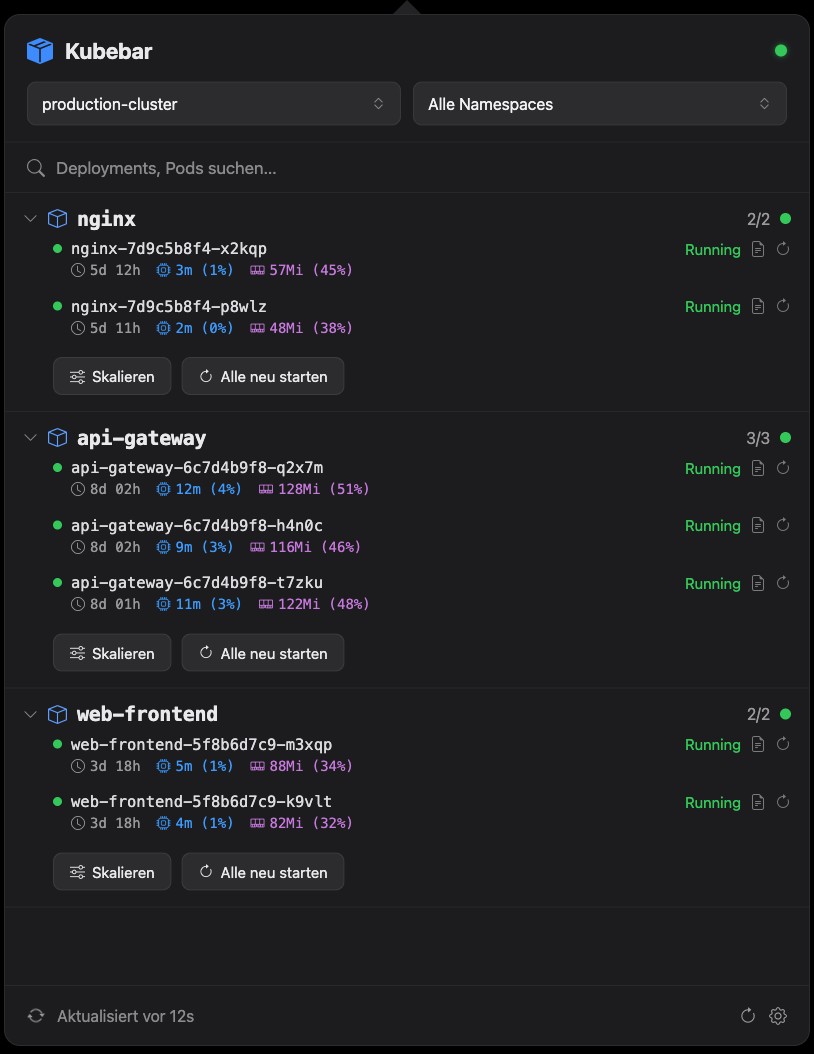
You need to check cluster health, view pod logs, restart crashed pods, scale deployments - constantly switching between terminal, kubectl, and dashboards breaks your flow.
Kubebar lives in your menubar. Real-time cluster health at a glance, pod logs, one-click restarts, and deployment scaling - all without leaving your current task.
Everything you need to manage Kubernetes clusters from your menubar
Green, yellow, or red indicator in your menubar shows cluster health at a glance. Know instantly when something needs attention.
View pod logs with search, filter, and real-time streaming. Copy or save logs to a file with one click.
Restart crashed or misbehaving pods instantly with a single click. No terminal needed.
Scale your deployments up or down with an intuitive slider. See replica counts update in real-time.
Works with Azure AKS, AWS EKS, Google GKE, DigitalOcean DOKS, and local Kubernetes clusters.
Get notified when pods crash or enter CrashLoopBackOff. Never miss a critical issue again.
Simple, native macOS & Windows interface designed for DevOps engineers
Cluster Overview
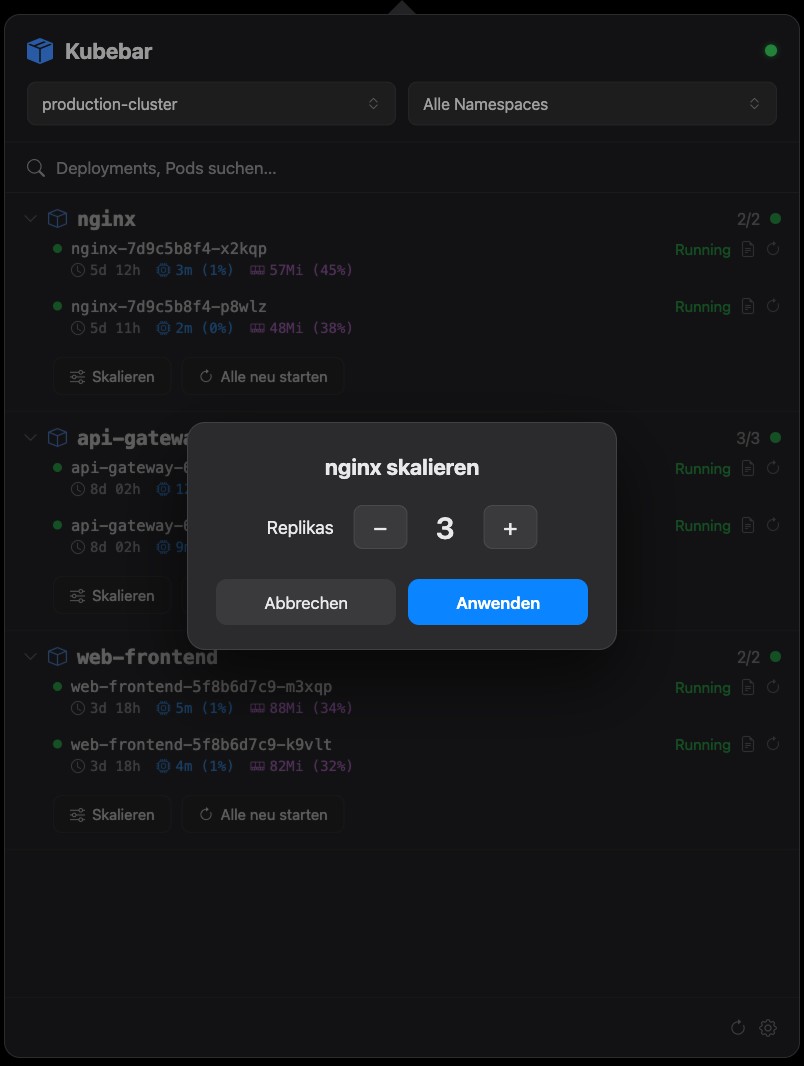
Pod Management
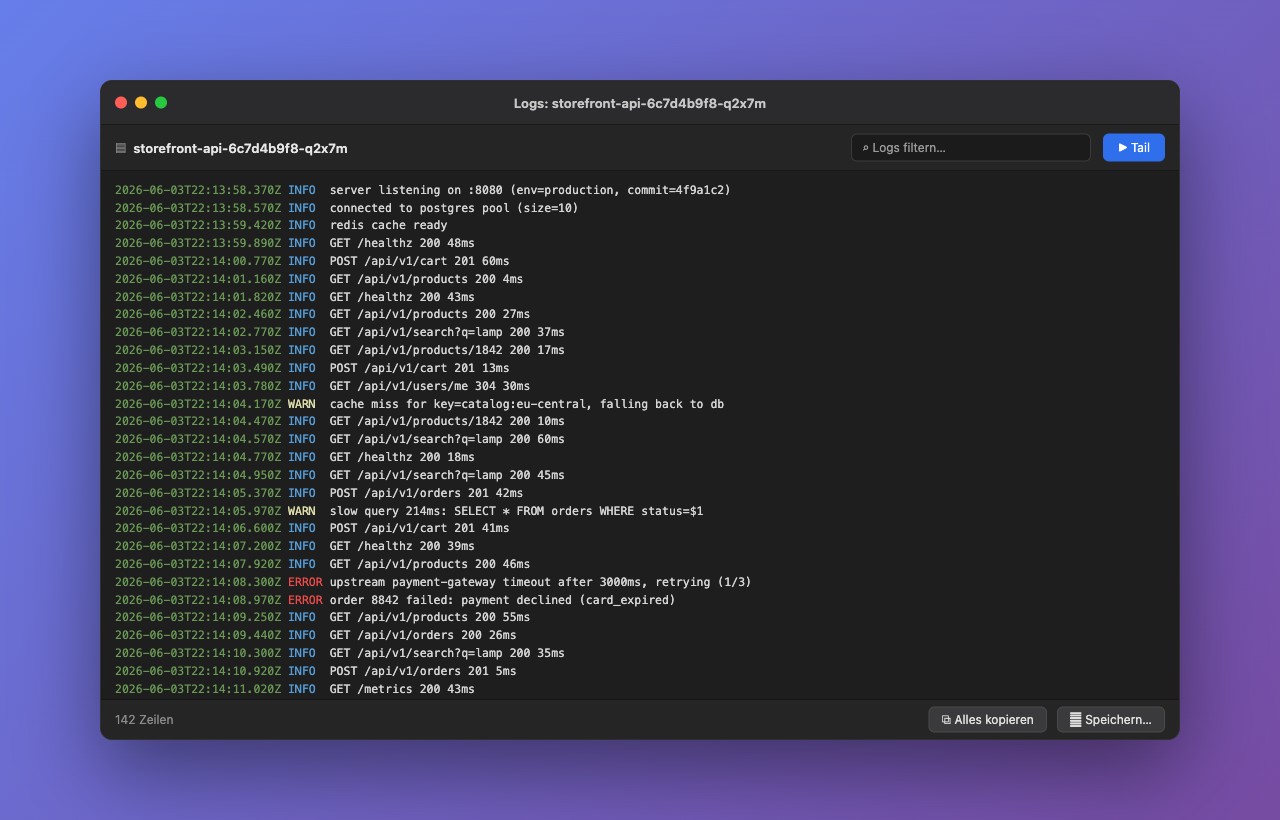
Log Viewer
Free 14-day trial - no account needed. Activate later with a license key.
macOS 13 or later
Download for macOSWindows 10 or later
Download for WindowsTry all features for 14 days, then activate with a license key from the pricing below.
Annual subscription. Cancel anytime.
macOS & Windows · 2 devices
macOS & Windows · 5 devices
Prices exclude VAT. Tax is calculated at checkout by Paddle.
Got questions? We've got answers